Blogs

How to Choose the Right Source-to-Pay Platform for Your Enterprise
Source to Pay software selection guide for SMEs
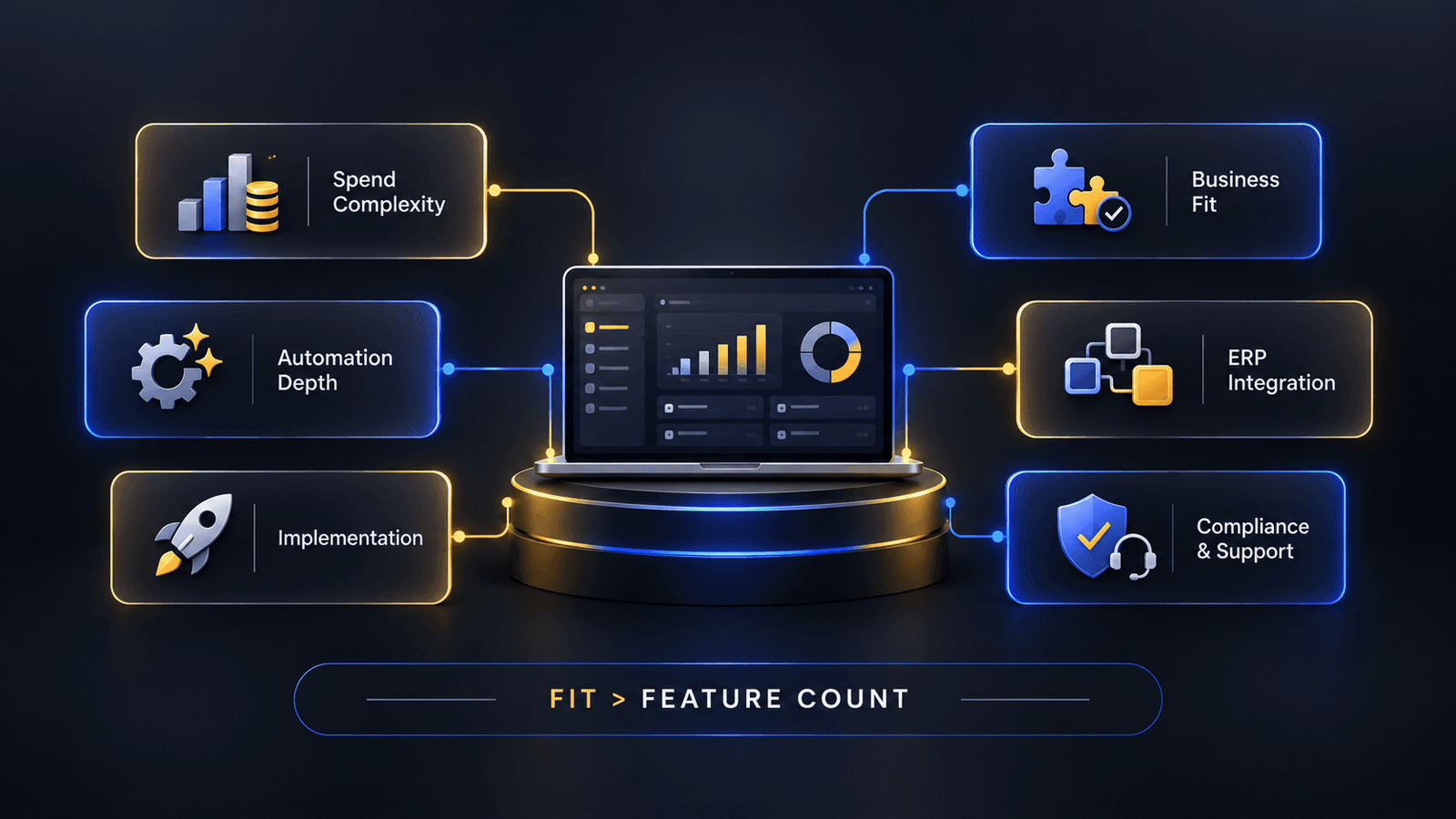
Most procurement leaders don’t struggle to find a Source to Pay Platform. They struggle to figure out which one actually fits their organization, because every vendor’s demo looks impressive and every feature list reads roughly the same on paper. The real differentiation shows up later — six months into implementation, or the first time your team tries to do something the platform wasn’t quite built for. This guide walks through the questions worth asking before you sign, not after.
Start With Why You're Switching, Not With a Feature List
Before comparing vendors, get specific about what’s actually broken. Procurement overhauls almost always stem from one of three pain points. First: volume breaks your early-stage setup, and basic spreadsheets can’t keep up. Second: you’re trapped in integration limbo, manually bridging the gap between isolated sourcing, purchasing, and billing tools. Or third—and this happens constantly—your current enterprise suite is such an operational headache that rogue spend is running rampant just because people dread using the tool. Each of these points toward a different priority — the first needs breadth, the second needs integration, and the third needs usability over raw feature count.
Map the Evaluation Against Your Actual Spend Complexity
A platform built for a company with fifty suppliers and simple purchasing rules will buckle under the complexity of a multinational with thousands of vendors, multi-currency contracts, and region-specific compliance needs — and the reverse is just as true. Overbuying a heavyweight enterprise system when your needs are modest just means paying for capability nobody uses. When you’re specifically shortlisting Procurement Software for Enterprise deployments, weigh the platform against your actual category mix, not against a generic feature checklist, because the vendor’s flagship capabilities may not map onto the categories your organization actually spends the most in.
Test the Depth of Automation, Not Just Its Presence
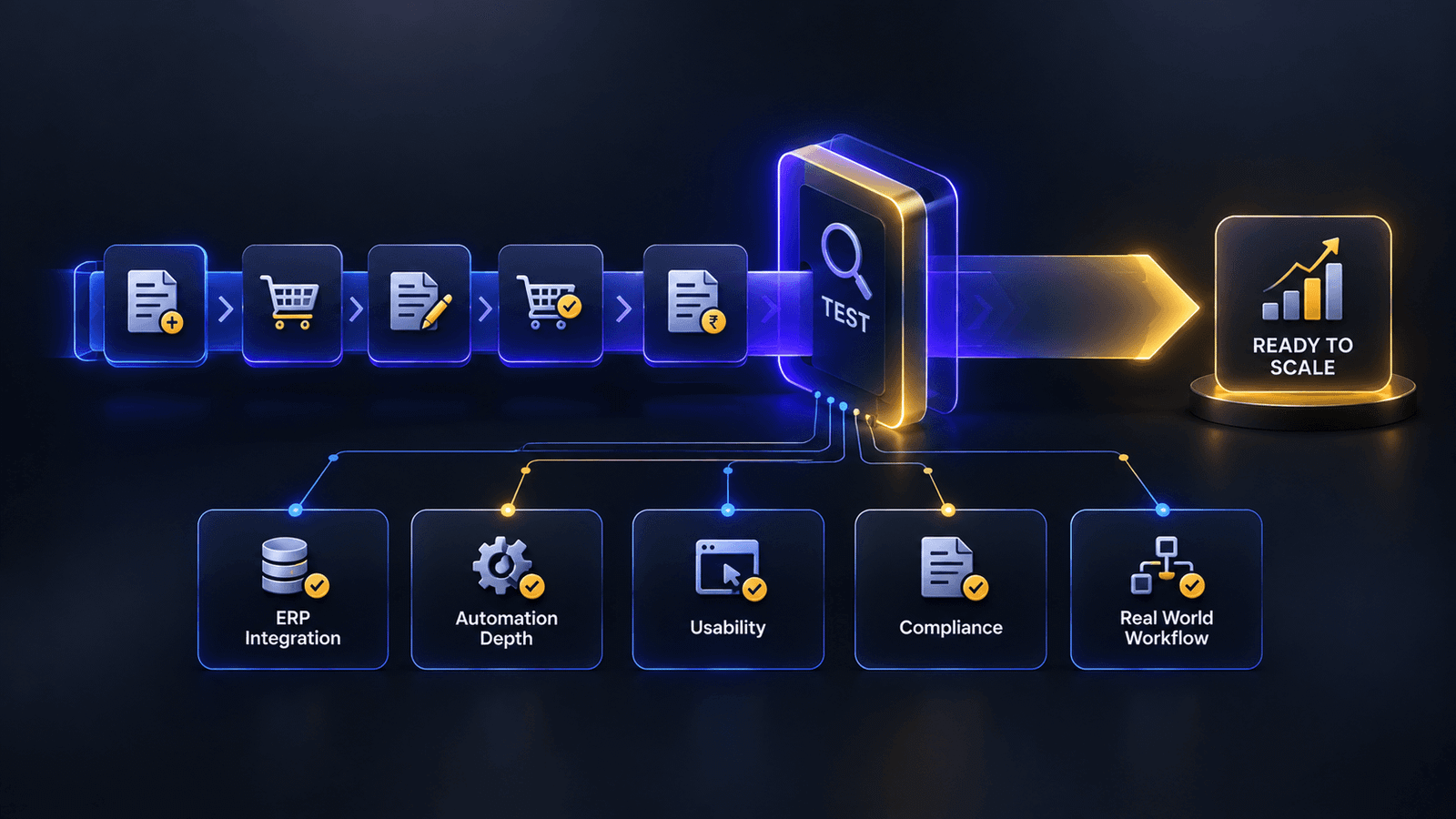
Nearly every vendor will claim automation somewhere in their pitch. What matters is how deep it goes. Ask whether Source to Pay Automation connects across the full lifecycle — sourcing decisions informing contract terms, contract terms informing invoice matching — or whether it’s really just automation at isolated checkpoints, like auto-generating a PO number while leaving supplier onboarding almost entirely manual. The difference only becomes obvious once you’re live, so push vendors during the demo to show you a transaction moving end to end, not just the individual screens.
Check Integration Depth With Your ERP
Integration claims are cheap; integration depth isn’t. A platform that connects to SAP or Oracle through a documented, native integration will behave very differently during rollout than one relying on a third-party connector or manual file transfers. This is consistently where enterprise buyers get blindsided — a tool that looks feature-complete in a demo can still take six to twelve months to implement if the ERP integration wasn’t built for your specific environment. Ask for reference customers running the same ERP you do, and ask them directly how long go-live actually took.
Weigh Implementation Timeline Against Vendor Size
Bigger isn’t automatically better here. The legacy giants bring proven track records, sure. But that safety net costs you dearly in implementation drag, rigid workflows, and software so bloated that casual requesters immediately run the other way. Newer platforms tend to move faster and adopt more easily, sometimes at the expense of the deepest enterprise-grade features. Neither approach is universally right — it depends on whether your organization has the internal resources to absorb a longer rollout in exchange for more comprehensive capability, and how central Source to Pay Automation is to the business case you’re building for this switch in the first place.
Don't Skip Regional and Compliance Fit
If your operations span multiple countries, check that the platform actually handles regional requirements natively rather than as an afterthought, GST compliance, local tax structures, on-premise deployment where data residency rules require it. This is easy to overlook during a demo focused on core workflow, but it becomes a serious blocker if the platform can’t support the markets you’re actually operating in. Reviewing something like ATLA’s core S2P capabilities is a useful benchmark here, since regional compliance was built into the platform from the start rather than added later.
Evaluate Support Beyond the Sales Team
Don’t judge these platforms by the slick pitch deck. Sales reps disappear the second the ink dries, leaving you stuck with their onboarding team. Pin them down on the practical stuff before committing. If an integration drops during month two, who answers? Is there a direct phone number, or do you file a ticket and pray? That post-launch safety net is the only metric that matters once the excitement of signing wears off. That’s how a supplier and vendor management layer is well-supported
Take the Test Run Seriously
Every serious vendor offers a demo, and it’s worth treating that time as more than a sales conversation. Bring a real transaction from your own procurement process and walk it through the platform live. Note where the interface slows your team down and where it genuinely removes a step you currently do manually — this is ultimately the clearest signal of whether a given Procurement Software for Enterprise shortlist candidate is actually built for how your team works, not just for how the demo is scripted.
Making the Final Call
There’s no single “best” Source to Pay Platform. The moment you have a shortlist, stop watching pre-baked presentations. Throw an actual nightmare scenario at them during the call: multi-subsidiary billing, broken vendor tax profiles, or whatever weird workflow keeps your team late on a Friday. If their engineers start sweating or promise to “check with product walkthrough,” you just saved your company a multi-year software headache.
More Case Studies